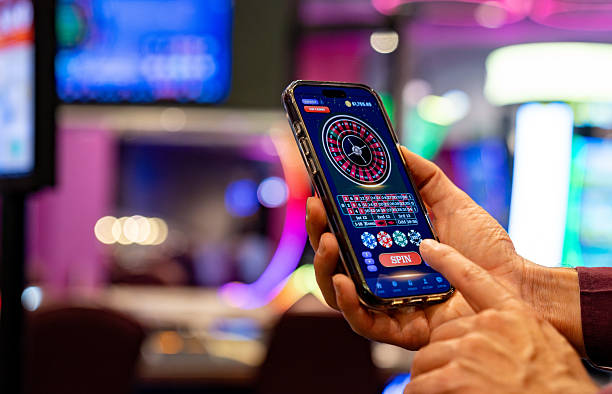
Installation and Setup on king 99

Download and Install
-
1
Download the APK or app fileStep 1
Visit king 99 from your mobile browser and tap the download link for Android or iOS.
-
2
Allow installation from unknown sourcesStep 2
On Android, go to Settings > Security and enable Unknown Sources; on iOS, follow the browser prompt to add the app to your home screen.
-
3
Open the app and sign inStep 3
Launch the app, enter your username or email, and your password to access your king 99 account.
-
4
Start using king 99Step 4
Browse football markets, live-dealer tables, or deposit funds using your preferred payment method.
App vs. Browser on king 99
The king 99 app offers faster performance than the mobile browser because it caches game data and market information locally on your device. Push notifications alert you to live-match updates, withdrawal confirmations, and account alerts without requiring the browser to stay open. The app also works better on slower connections because it loads only the sections you need, whereas the browser version loads the full page each time. However, the browser version requires no installation and works on any device with a modern browser, making it useful if you prefer not to install software or if you are using a shared device. Both versions sync your account balance and transaction history in real time.

Device Compatibility
Our king 99 app runs on Android 7.0 and later, covering most devices released in the past six years. On iOS, the app works on iOS 12 and later, which includes iPhone 5s and newer models. If your device is older than these versions, you can still access king 99 through the mobile browser. We recommend updating your operating system to the latest available version for your device to ensure security patches and optimal performance. The app requires approximately 50 MB of free storage space on your device.
Common Installation Issues
If the Android APK fails to install, check that you have enabled Unknown Sources in your device settings and that your device has enough free storage. Some devices block installation of files from unknown sources by default; if you see a security warning, tap Allow or Trust to proceed. On iOS, if the app does not appear on your home screen after installation, try refreshing your browser or clearing the cache. Certificate trust errors occasionally occur if your device's date and time are incorrect; verify these settings and try again. If you encounter persistent issues, contact our support team through the in-app help menu or via email, and we will assist you with troubleshooting.
- Android requirement
- Android 7.0 or later; approximately 50 MB storage space.
- iOS requirement
- iOS 12 or later; works on iPhone 5s and newer.
- Unknown Sources
- Android users must enable this setting in Security to install the APK.
- Browser alternative
- No installation needed; access king 99 from any mobile browser.
Data, Permissions, and Account Security
The king 99 app requests permission to access your device's internet connection, storage, and notifications. We do not access your contacts, photos, or location data. Your login credentials are encrypted and stored securely on your device; we never transmit them in plain text. When you log out, your session ends and your credentials are cleared from the app's memory. If you lose your device, you can log in from another device and change your password immediately to prevent unauthorized access. We recommend enabling two-factor authentication on your king 99 account if this feature is available, and we advise against using the same password across multiple platforms. All transactions on king 99 are encrypted using industry-standard protocols, and your account balance is verified with our servers each time you open the app.